
Local AI knowledge base without the cloud: How to deploy a company RAG on a Minisforum N5 Max AI 395 workstation
Why is the public cloud a trap for a company's confidential data? Time for digital sovereignty and local RAG
{author=1}Sending sensitive enterprise assets – from confidential commercial contracts and financial balance sheets, to proprietary source code and patent documentation – to external artificial intelligence models operating in the public cloud has become one of the greatest operational threats to modern business. Although the APIs of leading LLM providers tempt with easy integration and immediate access to gigantic models, in reality they force the transfer of critical information outside the secure corporate perimeter. For organizations subject to strict regulatory regimes (such as GDPR, NIS2 or DORA), every line of text sent in a prompt creates an unacceptable vector of legal risk, telemetry and potential leakage of trade secrets. Moreover, in the cloud model we completely lose control over data retention, while dynamically rising subscription costs and token fees call into question the long-term cost-effectiveness of the deployment.
The answer to these challenges, however, is not to abandon the possibilities offered by generative artificial intelligence, but to regain full control over the company's computing infrastructure. In an era of growing awareness of cyber threats, the only technically and economically rational step is to implement an on-premise architecture based on RAG (Retrieval-Augmented Generation) technology. Until recently, building a fully autonomous knowledge processing environment required purchasing loud, energy-hungry server racks equipped with graphics accelerators costing tens of thousands of EUR. Today this paradigm is undergoing a fundamental change. A dedicated, compact workstation for a private AI knowledge base proves that launching an advanced, secure solution for searching and synthesizing company documents is possible directly within the local LAN network – guaranteeing one hundred percent data isolation, zero cloud transfer latency and full technological sovereignty.
RAG architecture in practice: How to ground artificial intelligence in company documents without the risk of hallucinations
A traditional LLM model resembles an outstanding erudite who has read almost the entire public internet, but has no idea about the unique business processes, internal specifications or confidential agreements of your organization. Attempting to force a standard model to interpret internal procedures usually ends with the phenomenon of hallucination – the algorithm generates fabricated facts with complete confidence, dressed in an elegant and logical form. Such a margin of error is completely unacceptable. The answer to this challenge is not a weeks-long, costly and complicated process of fine-tuning model weights, but the implementation of a RAG (Retrieval-Augmented Generation) architecture. Thanks to it, artificial intelligence stops acting as an unreliable storehouse of knowledge and becomes a reliable analyst operating exclusively on verified source material. Combined with an on-premise approach, where a secure on-premise AI server for companies processes resources locally, you gain full technological sovereignty without the risk of transferring sensitive data to external public clouds.
The key to RAG reliability is the two-stage division of tasks into a retrieval module and a generation module. In the first step, company PDF files, code repositories or technical documentation are parsed, divided into smaller semantic blocks (so-called chunks), and then transformed into numerical vectors and indexed in a local vector database. When an employee asks a question in natural language, the semantic search engine instantly searches the vectors and finds exactly those document fragments that carry the key substantive context. Then, in the generation phase, the retrieved context together with the user's question is injected directly into the execution prompt for the local language model. The LLM receives strict instructions: it must generate an answer based solely on the provided excerpts of company documentation, citing sources and indicating specific pages. In this way, the workstation for a private AI knowledge base completely eliminates confabulations and provides repeatable, auditable results. Understanding this data flow is the foundation that allows you to plan how to deploy RAG on a local workstation efficiently and without compromises in security.
Architecture bottleneck: The VRAM wall and the memory trap in RAG systems
An attempt to deploy a production RAG engine on standard PC hardware encounters an absolute engineering barrier – the so-called VRAM Wall. The most powerful consumer graphics cards offer a maximum of 24 GB of VRAM memory. This is definitely too little when the goal is a stable computer for handling LLM 70B models (such as Llama 3.3 70B or Qwen 2.5 72B). Even with aggressive 4-bit quantization, the model weights alone consume almost the entire available card buffer, leaving no operational margin.
The real source of problems in a RAG environment, however, is KV Cache memory allocation. Injecting multi-page documentation, contract scans or technical standards into the prompt rapidly expands the context window. As it grows, the memory demand for Attention buffers increases exponentially, leading to an immediate CUDA Out of Memory (OOM) error and interruption of answer generation.
The classic solution to this problem – multi-card rack servers with PCIe accelerators – generates prohibitive costs in the range of several tens of thousands of EUR, enormous power consumption and fan noise reaching 70 dB, which completely rules out their installation in a normal office space or design studio.
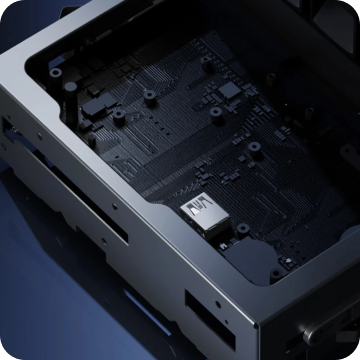
Minisforum N5 Max AI 395: A breakthrough Unified Memory architecture in local LLM inference
The answer to the VRAM barrier described earlier is the Minisforum N5 Max AI 395 workstation, designed based on Unified Memory Architecture. In traditional desktop configurations, a graphics card connected via the PCIe bus has a strictly limited own buffer (usually from 16 to 24 GB GDDR6X), which, when attempting to load an advanced 70B model together with an extensive context window, immediately triggers an Out of Memory (OOM) error. Minisforum N5 Max AI memory architecture completely eliminates this bottleneck by abandoning the physical division into separate system RAM and graphics card VRAM. Instead, the integrated APU processor uses a shared, wide high-bandwidth LPDDR5X memory bus. As a result, this compact 128GB RAM workstation for artificial intelligence allows up to 96 GB of uniform workspace to be dynamically allocated to graphics cores and the NPU unit. In practice, this means that we receive a full-fledged computer for handling LLM 70B models (such as Llama 3.3 70B or Qwen 2.5 72B in precise Q4_K_M quantization), which handles multi-stage processing of corporate knowledge sets without the need to build costly multi-card server clusters.
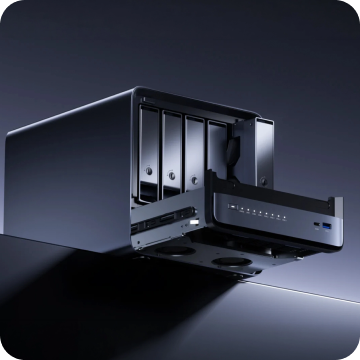
The unified architecture translates directly into another key deployment aspect – excellent ergonomics. While typical compute servers with enterprise-class graphics cards require air-conditioned server rooms and generate enormous noise, the Minisforum N5 Max AI stands out with exemplary operating culture and thermal performance adapted to typical office conditions. The use of an efficient cooling system with a vapor chamber and profiled fans means that the device generates below 35 dB under full inference load, so it can work directly on an engineer's desk without disturbing concentration. In addition, the impressive energy efficiency of the APU architecture limits power consumption to just 65–120 W under load (while traditional stations with multiple GPUs draw from 600 to over 1000 W), which radically lowers the total cost of ownership (TCO). In turn, the compact, minimalist enclosure with a volume of only a few liters allows seamless integration at any point in the company. This creates a secure on-premise AI server for companies – a discreet yet powerful workstation for a private AI knowledge base, ideal for law firms, engineering offices and R&D teams.
| Deployment stage | Technology component | Role in the RAG architecture | Optimization for Minisforum N5 Max AI 395 | Deployment result and security |
|---|---|---|---|---|
| Step 3 (Finalization): Vector database | Qdrant Vector Database (Docker container / Rust engine) | A semantic memory engine responsible for storing generated embeddings of company documentation and instant vector retrieval using a cosine metric. Qdrant natively supports advanced payload filtering, allowing data sets to be isolated between departments (e.g. HR, R&D, finance) within a single instance. | Run in a Docker environment with 16–24 GB RAM allocation. The database uses an HNSW (Hierarchical Navigable Small World) index stored directly in fast memory, while raw payloads are mapped to an NVMe PCIe 4.0 SSD. Such a configuration on the workstation makes it possible to achieve search times below 12 ms for a database containing hundreds of thousands of text chunks. | The private AI knowledge base operates entirely on-premise. There are no subscription fees whatsoever for queries or indexing, and key technical files and knowledge bases never leave the enterprise's local subnet. |
| Step 3 (Extension): Hybrid retrieval | Sparse + Dense Search & Reranking (Qdrant + FastEmbed) | A dual-search mechanism: combining dense vectors (semantics, question context) with sparse BM25 vectors (specific phrases, catalog symbols, DMTrade serial numbers). Selected fragments are sent to the local reranker model, eliminating the phenomenon of hallucination. | Use of the multithreading of the modern APU. The Minisforum N5 Max AI 395 workstation delegates scoring calculation tasks to free processor cores without burdening the VRAM memory dedicated to the main model, maintaining the smoothness of the entire RAG pipeline. | An increase in the precision of technical answers by more than 40%. Crucial in engineering companies, law firms and service centers, where precise finding of a connector specification, legal standard or repair procedure determines the success of the operation. |
| Step 4 (Standard variant): Chat frontend | Open WebUI (local web interface) | An ergonomic end-user interface imitating popular commercial AI platforms. It provides employees with access to company knowledge via chat, with direct preview of the sources (citations) of the documents from which the assistant drew its conclusion. It offers built-in user management (RBAC) and integration with the company's Active Directory / LDAP. | Deployment as a lightweight Docker container connected in a local bridge with the LLM engine (Ollama/vLLM) and Qdrant. The memory overhead on the workstation is below 600 MB RAM. Access is provided through the workstation's internal IP with SSL/TLS encryption and an Nginx reverse proxy. | No entry barrier for non-technical employees. An intuitive environment for everyday office work, guaranteeing full transparency of answers thanks to verifiable links to internal PDFs and spreadsheets. |
| Step 4 (Advanced variant): Orchestration and workflow | Dify.AI Community Edition (agent platform) | A comprehensive environment for visually designing advanced RAG pipelines, autonomous agents and integrations with external APIs (e.g. ERP, CRM, warehouse systems). It allows granular control of chunking, testing different prompting strategies and multi-stage query processing. | Multi-container installation (PostgreSQL, Redis, Dify Core). The 128GB RAM workstation for artificial intelligence provides sufficient resource reserve to handle the Dify orchestrator, the Qdrant database and a quantized LLM 70B model in parallel on one machine without drops in stability. | Transformation of a passive knowledge base into an active agent system. The ability to automatically generate technical offers, reports and analyses based on company data in a secure on-premise ecosystem. |
| Hardware-software stack integration | Synergy: Minisforum N5 Max AI 395 + Full RAG stack | Closing the complete pipeline (data ingestion - embedding, Qdrant, Open WebUI/Dify orchestration, LLM inference) on one compact desktop mini PC-class device. | Minisforum N5 Max AI memory architecture (Unified Memory) eliminates the PCIe bus bottleneck. The 128 GB RAM pool is dynamically allocated: 80–90 GB for 70B model weights, 16–24 GB for the Qdrant index, the rest for the operating system and UI containers. | A secure on-premise AI server for companies ready for 24/7 operation. Low energy consumption (a fraction of the demand of traditional rack servers with multiple GPU accelerators), complete data sovereignty and return on investment (ROI) already in the first months of operation. |
- Step 1: Containerizing the environment in Docker under Ubuntu LTS – The foundation of stability is the choice of Ubuntu 24.04 LTS, which guarantees an up-to-date kernel with direct support for modern buses and APU hardware. We run the entire stack in isolated containers via Docker Compose. We define a dedicated virtual network (e.g. code rag-network) and map disk volumes on fast NVMe drives. Thanks to this, our local AI knowledge base workstation maintains modularity: each service can be independently updated, scaled or migrated in the form of volume snapshots without interfering with the base system.
- Step 2: Launching Ollama with ROCm acceleration and the model engine – In the container, we deploy the Ollama engine (or vLLM) configured for direct access to AMD ROCm and NPU computing resources. This shows in practice how to deploy RAG on a local workstation without a dedicated server rack: we download quantized weights of enterprise-class models, such as Llama 3.3 70B (Q4_K_M) or Qwen 2.5 72B. Using unified memory, the model loads directly into graphics resources, generating inference with a smoothness of around 15–20 tokens per second, which is more than enough for dynamic office work.
- Step 3: Deploying the Qdrant vector database to store embeddings – Semantic document search is handled by the Qdrant vector database (alternatively Chroma DB), deployed in a separate container. It is characterized by low CPU overhead and a lightning-fast HNSW index. We connect a specialized embedding model to the database (e.g. code bge-m3 or code nomic-embed-text). This makes the 128GB RAM workstation for artificial intelligence process vector queries in parallel, without competing for memory bandwidth with the large language model responsible for content synthesis.
- Step 4: Configuring OpenWebUI with user roles (RBAC) – To make the system available to non-technical teams, we launch the OpenWebUI interface (or AnythingLLM), connecting it via an internal API with Ollama and Qdrant. A key element of an enterprise deployment is access control configuration (Role-Based Access Control). We divide the workspace into departments. Each group receives permissions only for its own knowledge collections. In this way, the Minisforum N5 Max AI 395 workstation becomes a tightly guarded, secure point of contact with company data.
- Step 5: Indexing company data repositories and testing in the LAN network – The final stage is the documentation ingestion process: automated parsing of PDF, DOCX, spreadsheet and code repository files, which the engine divides into optimized chunks (e.g. 512 tokens with a 10-percent overlap) and indexes in the vector database. Verification is carried out directly in the local LAN network (via the 2.5GbE interface), measuring the precision of source citations (grounding) and time to first token (TTFT). The final result is an autonomous, secure on-premise AI server for companies, operating 100% without access to the external internet.
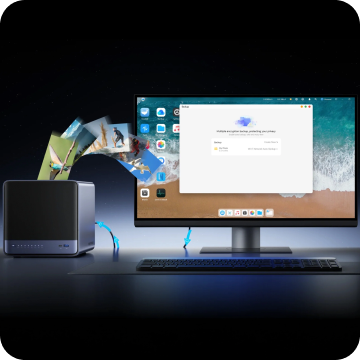
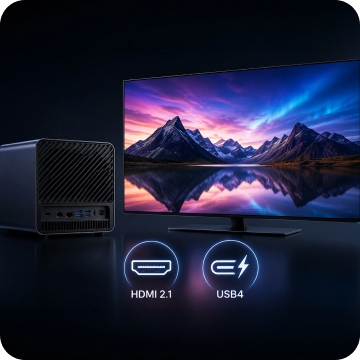

Interesting fact
Did you know that a compact APU chip can outperform a powerful workstation based on two GeForce RTX 4090 cards in LLM inference tasks? Although two top consumer cards offer a total of 48 GB VRAM, they force engineers into the acrobatic splitting of model weights (so-called tensor parallelism), which generates enormous communication overhead on the PCIe bus and drastically increases token generation latency. What is more, in classic multi-GPU configurations, the environment loading process itself becomes a powerful bottleneck. Quantized weights of modern 70B-class models can take from 40 to 80 GB of disk space. With such gigantic parameter sets, the maximum sequential read speed of NVMe PCIe 4.0 or PCIe 5.0 SSDs (reaching from 7000 to as much as 10000 MB/s) becomes crucial. In a traditional workstation, this data must travel a tedious path: the controller reads the file into system RAM, after which the processor must split the tensors and send them over the PCIe bus to the separate VRAM buffers of each graphics card individually. Such a transfer not only extends database initialization to several dozen seconds, but can paralyze the system bus. Meanwhile, Minisforum N5 Max AI memory architecture solves this problem in an unrivaled way. The modern 128GB RAM workstation for artificial intelligence uses UMA (Unified Memory Architecture), in which the processor, graphics chip and NPU coprocessor share exactly the same continuous address space. The inference engine uses direct file mapping (mmap) technology, thanks to which weights of 40–80 GB are instantly mapped from the NVMe drive directly into the uniform operating memory pool – without intermediate buffer copies, without splitting tensors and without synchronization losses between cards. In practice, this compact computer for handling LLM 70B models launches a powerful model with a context window reaching tens of thousands of tokens in a fraction of the time needed by traditional platforms, while consuming only 65–120 W of energy instead of the almost kilowatt required by two graphics cards.
Advice from the dmtrade.pl installer: Key infrastructure accompanying the AI workstation
Even the most modern, compact workstation for a private AI knowledge base, such as the Minisforum N5 Max AI 395, will not ensure full fault-free operation and the expected SLA level without professionally prepared peripheral facilities. When integrating a local RAG system in a company environment, our engineers from dmtrade.pl pay particular attention to three critical infrastructure areas: guaranteed power supply, transmission bus and thermal conditions.
First, continuous processing of vector queries by LLM models under the full load of 128 GB of memory generates constant power consumption. A sudden micro power outage or voltage fluctuation during deep indexing of a vector database (e.g. in Qdrant, Milvus or ChromaDB) risks damaging database consistency and interrupting the retrieval pipeline. An absolute deployment standard is a UPS emergency power supply in Line-Interactive with pure sine wave topology with power selected with a minimum 30% reserve, equipped with a USB/SNMP communication port for safe automatic shutdown of database processes.
Second, LAN network bandwidth can be the bottleneck of a local RAG deployment. Although the model itself works locally in RAM, the continuous feeding of the database with new files from the company NAS server, regular snapshot backups and parallel streaming of generated tokens to several dozen workstations in the office quickly clog a traditional 1 Gbps port. We recommend building a backbone based on shielded twisted-pair cabling of at least Cat.6a or Cat.7 S/FTP, non-inductive crossover patch cords and dedicated, managed fast 10G/2.5G Multi-Gigabit switches with Jumbo Frame support and QoS traffic prioritization for inference ports.
Third, the issue of heat dissipation must not be ignored. Despite the excellent energy efficiency of the APU architecture, long-term answer generation under load requires free air circulation. When installing equipment in a telecommunications cabinet or office enclosure, it is worth using a dedicated ventilated shelf with a thermostat, preventing the phenomenon of thermal throttling of the NPU and GPU clocks.
In the dmtrade.pl offer, as a distributor of installation and IT equipment, we provide full technical facilities for such deployments: from certified copper and fiber-optic cabling, through emergency power systems and RACK cabinets, to a wide selection of fast 10G/2.5G switches, which make it possible to eliminate any delays in data transmission.
FAQ
Profit and loss calculation: Why does a local AI workstation pay for itself in a few months?
The economic calculation of deploying your own inference node is ruthless for cloud API subscriptions. With a team of 10 to 50 specialists – engineers, analysts, designers or lawyers – regularly working on internal documentation, the investment in a secure on-premise AI server for companies usually pays for itself in just 3 to 6 months. However, abandoning constantly rising SaaS token fees is only the beginning of the benefits. The real value is full technological sovereignty and compliance with legal standards (GDPR, trade secret, NDA). A dedicated workstation for a private AI knowledge base ensures that the company's intellectual property never leaves the local LAN network, eliminating the risk of data leakage or a sudden policy change by an external API provider.
Successfully launching a RAG environment in a production environment requires more than just downloading model weights from a repository – a stable, uncompromising hardware foundation is key. At dmtrade.pl, we combine the competencies of an advanced equipment distributor with engineering knowledge. We offer not only compact workstations with architecture optimized for unified memory and operation under constant load, but also full network accessories: from shielded Cat.6A/Cat.7 structured cabling and fast 2.5G/10G switches, to dedicated UPS emergency power systems. Consult your deployment with our team of technical advisors and build a secure, independent AI infrastructure precisely matched to the scale of your organization.
Recommended
