
Which doorbell should you choose for your home? Learn the differences, disadvantages, and advantages before buying

Choosing the right doorbell for a house or apartment seems trivially simple at first glance. However, when we start browsing the market offer, it quickly turns out that the terminology can be confusing. Does a wireless doorbell always require batteries? How does a kinetic mechanism differ from a classic one? And what exactly are traditional wired chimes?
In this article, we will analyze all available technologies and suggest under which conditions individual types of doorbells work best.
Classification of doorbells: Wired vs. Wireless. What are battery-powered, kinetic, and mechanical doorbells?
To easily understand the differences between models available on the market, you need to distinguish communication (the method of transmitting the signal from the button to the receiver in the house) from the method of powering the external button.
1. WIRED doorbells (Mechanical and Electronic)
In wired doorbells, the external button is connected to the sound unit in the building using a physical electrical cable. The button itself is simply a mechanical switch - pressing it closes the electrical circuit and sends current directly to the sound module.
In terms of sound generation, wired doorbells are divided into:
- Mechanical wired (classic chimes): The current flowing through the wire activates an electromagnet, which physically strikes a metal bell or plate with a metal hammer, producing the iconic “ding-dong” sound. They do not contain any digital electronics.
- Electronic wired: The current from the cable powers a simple electronic circuit with a speaker that plays selected digital melodies.
2. WIRELESS doorbells (Kinetic, Battery-Powered, and Mains-Powered)
In this case, no cables are run between the button at the gate and the speaker in the house - the signal is transmitted wirelessly using radio waves. The key difference comes down to where the button gets the energy needed to send the signal:
- Wireless KINETIC (battery-free): They use modern technology that converts mechanical energy into electrical energy. Inside the button there is a microscopic generator. By pressing the button with your finger, you generate the current needed to send the radio signal yourself. The button requires neither batteries nor cables.
- Wireless BATTERY-POWERED (standard): A traditional battery (e.g. flat CR2032 or A23 12V) is placed in the button and powers the built-in radio transmitter.
What is a kinetic doorbell and how does it work in practice?
Kinetic doorbell is an advanced variant of a wireless doorbell in which the button power supply is based on a microscopic current generator. Finger pressure triggers an electrical impulse that is sufficient to send a radio signal to the speaker in the house.
Advantages:
- No batteries or wires: Zero additional operating costs and no need to remember to replace cells.
- Sealed construction: The absence of a battery cover allows for a higher protection rating (IP44/IP65), which effectively protects the electronics against rain and moisture.
- Frost resistance: Unlike traditional batteries, the kinetic mechanism does not lose efficiency at low temperatures.
Disadvantages:
- Potential radio interference: As with any wireless device, thick reinforced concrete walls or a metal fence may limit the range declared by the manufacturer.
Where will it work best? A kinetic doorbell is the ideal solution for external gates and fences of single-family homes where no electrical installation has been provided. Intended for people who are looking for a completely maintenance-free device that is resistant to difficult weather conditions.
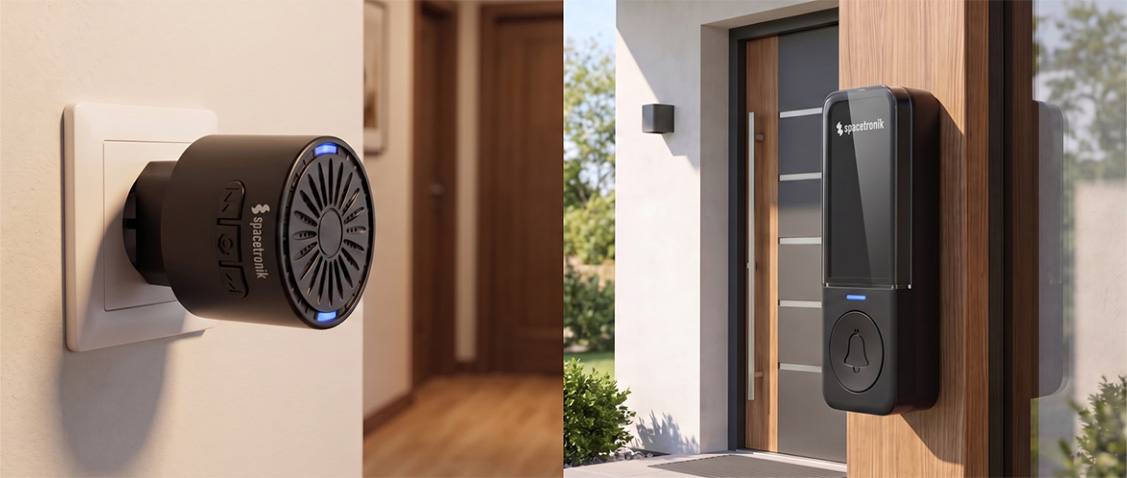
Traditional wireless doorbell (battery-powered) - a proven classic
Battery-powered wireless doorbell is a classic radio solution. The external button is powered by a dedicated battery (e.g. CR2032 or A23), and the signal to the receiver inside the building is transmitted by waves.
Advantages:
- Low purchase cost: The most affordable solution on the market.
- Simple installation: Ready to use immediately after taking it out of the box, installed without drilling (e.g. with double-sided tape).
- Compact dimensions: The battery-powered button is usually very light and small.
Disadvantages:
- Need to replace batteries: Requires regular purchase and replacement of cells (on average every 6-18 months).
- Performance drop in frost: Batteries placed in a button outside the building quickly lose capacity at sub-zero temperatures, which may cause the doorbell to suddenly stop working in winter.
Where will it work best? This choice works best in apartments in blocks of flats, in covered stairwells, and in rented premises or offices. It is a practical option when you need an inexpensive doorbell without running any cables.
Wired doorbell - maximum connection stability
In wired doorbells the external button is connected to the sound module in the house with a physical electrical wire. Pressing the button closes the circuit and triggers the signal. There are two varieties of this technology on the market: mechanical (a classic chime in which an electromagnet strikes metal plates) and electronic (current from the cable powers an integrated circuit and a speaker that plays digital melodies).
Advantages:
- Unrivaled reliability: A physical cable completely eliminates the risk of radio interference, signal loss, or problems with thick walls.
- No batteries or charging: Both the mechanical and electronic versions are powered directly from the home mains (230V or via an 8-12V transformer).
- Exceptional durability (mechanical versions): A simple mechanism without complicated electronics can operate trouble-free for several decades.
- Clear, loud sound (electronic versions): Electronic doorbells offer a wide selection of digital sounds and volume control while maintaining the stability of cable power.
Disadvantages:
- Invasive installation: Requires prior routing of wiring under plaster and in the garden.
- No mobility: The set is installed permanently - there is no possibility of moving the receiver to another room or garden.
- Function limitations (mechanical versions): A classic mechanical chime usually offers only one fixed sound (e.g. “ding-dong”) without the option of volume control.
Where will it work best? A wired doorbell is the optimal choice for newly built houses or buildings undergoing a major renovation, where the wire has already been routed to the gate.traditional Recommended wherever there is strong radio interference or when we care about the sound of a mechanical chime.
Technology comparison: Kinetic vs. Battery-Powered vs. Wired
The table below collects and organizes the most important features of the solutions described above:
| Feature / Parameter | Kinetic doorbell (wireless) | Battery-powered doorbell (wireless) | Wired doorbell (mechanical / electronic) |
|---|---|---|---|
| Signal transmission method | Radio waves | Radio waves | Electrical wire (cable) |
| Button power supply | None (kinetic energy from the finger) | Battery (e.g. CR2032 / A23) | From the home installation (cable) |
| Need to replace batteries | No | Yes (every 6-24 months) | No |
| Need to run cables | No | No | Yes (wire required) |
| Installation difficulty | Very easy (tape / wall plugs) | Very easy (tape / wall plugs) | Difficult (chiseling walls / trenching) |
| Resistance to frost and precipitation | Very high | Medium (batteries weaken in frost) | Very high |
| Operating range | Up to 100-200 m (in open terrain) | Up to 100-150 m (in open terrain) | Limited by cable length |
| Maintenance-free operation | 10/10 | 6/10 | 9/10 |
Practical tip
Avoid installing a wireless button directly on wide metal fence posts or sheet-metal gates without using an insulating spacer made of plastic or wood. Metal acts like an electromagnetic shield that can reduce the real range of the radio signal by as much as 40-60%! If you must install the doorbell on a metal surface, use a plastic spacer.
Classic doorbell or smart Wi-Fi video doorbell? What to choose?
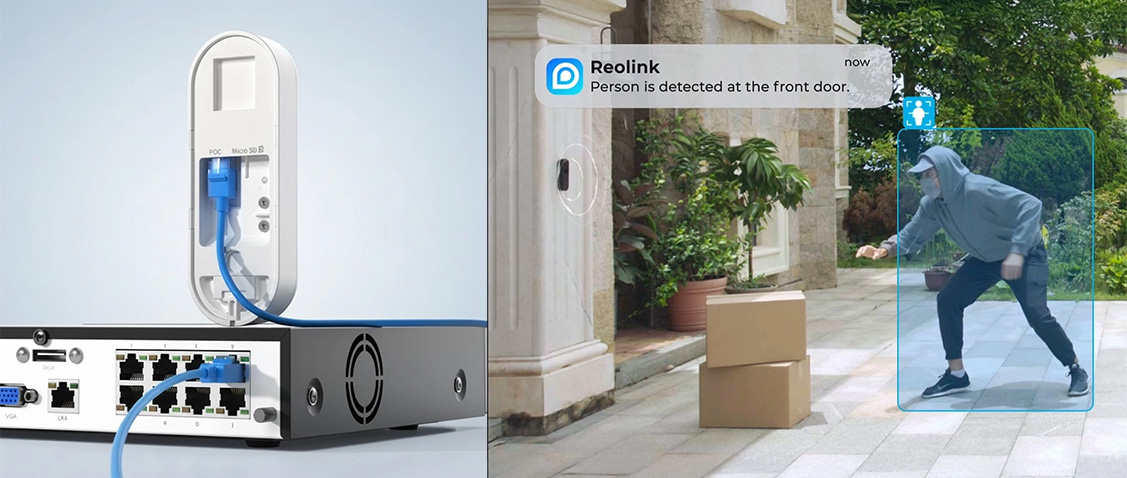
Many people planning to buy a doorbell wonder whether to immediately invest in a modern smart video doorbell with a camera and control via a mobile app (e.g. Tuya Smart, Smart Life). Smart Home devices offer live preview, phone notifications, and the ability to talk to a courier remotely, but it is worth remembering that they also come with specific technical requirements.
Smart doorbells require stable home Wi-Fi network coverage at the gate or door and regular charging of high-capacity batteries (or supplying permanent low-voltage power). Moreover, delays in signal transmission via cloud servers may cause the notification on the phone to appear only when the guest has already managed to leave the door.
By comparison, a classic wireless doorbell (battery-powered or kinetic) is a guarantee of absolute simplicity and reliability. It works immediately after being pressed, does not need an internet connection, and in the case of kinetic models - completely eliminates the problem of charging or replacing batteries. If you are looking for a maintenance-free solution that is simply supposed to reliably signal the arrival of guests inside the house, a traditional doorbell still remains the most reliable choice.
FAQ
Recommended


Spacetronik SL-DB10 WiFi doorbell without battery

Video door intercom with smart lock AL501

ARPHA SP300 Smart Door Lock Palm Vein

Smart Video Doorbell with 2K 5MP Chime Aosu SL-V8S

Smart Video Doorbell with HD 3MP Chime Aosu SL-V8P

Smart Video Doorbell with HD 3MP Chime Aosu SL-V8E


Smart Video Doorbell with Chime 2K 5MP Reolink PoE


